The open office survival guide: solving the 6 most common workspace issues
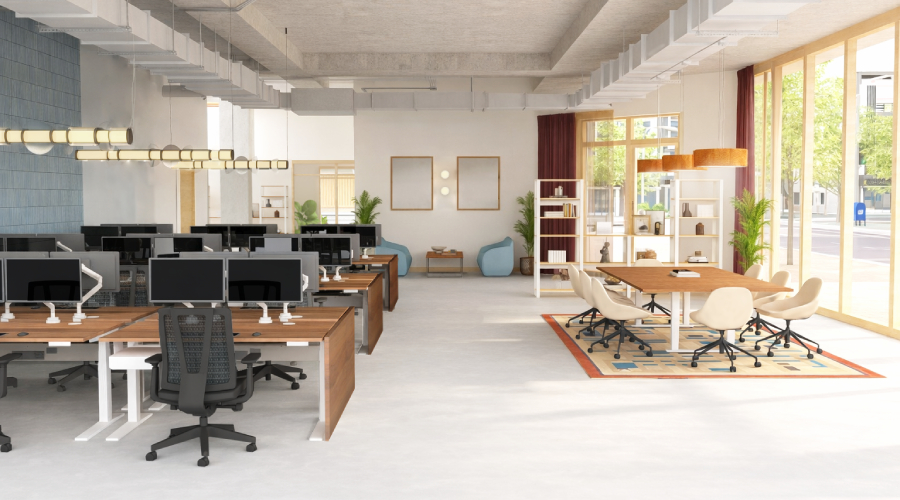
The open office concept was designed with a beautiful vision in mind: breaking down literal walls to encourage collaboration, communication, and a vibrant team culture. But open space alone doesn't deliver that. Tearing down walls also tears out the sound buffers, privacy, and storage they provided.
Without thoughtful planning, the very features that make an open office exciting can quickly lead to distractions, fatigue, and drops in productivity.
If you are designing or upgrading an open workspace, keep an eye out for these 6 common open office pitfalls, and explore the subtle, seamless design solutions that can transform a chaotic room into a high-performance environment.
1. The noise epidemic: acoustic chaos
The issue
Open offices are acoustic echo chambers. Casual chats, phone calls, and keyboard clicks bounce off hard surfaces, creating a constant wall of background noise. Without a quiet place to focus, employee concentration and productivity plummet.
The fix
Absorb sound waves at the source and neutralize ambient noise with modular acoustic solutions.
- Dedicated focus spaces: The OnePod Office Phone Booth provides a sound-insulated oasis for private calls without disrupting the rest of the room.
- Desk-mounted focus zones: The 3-Sided Acoustic Privacy Screen clamps directly to the desktop, absorbing sound to create an instant, personal quiet zone.
- Ceiling and wall treatments: Acoustic Wall Panels and Ceiling Clouds catch echo and chatter before noise travels across the open floor plan. Made of dense polyester fiberboard with a 0.85 Noise Reduction Coefficient (NRC), the panels absorb sound rather than reflect it.
- Sound masking systems: Advanced ambient sound masking can be seamlessly integrated into your layout to subtly obscure conversational frequencies and minimize distractions.
2. The fishbowl effect: visual distractions
The issue
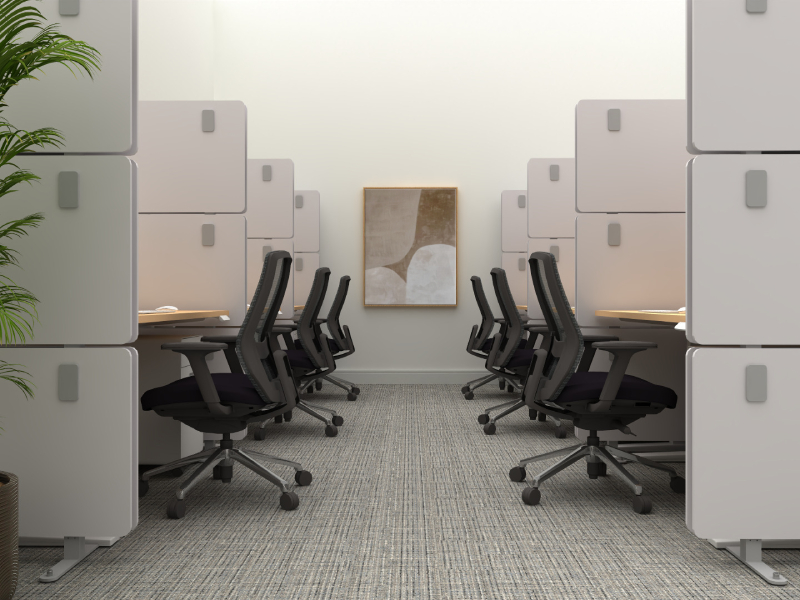
Constant peripheral movement, like coworkers walking past or screens flashing across the room, triggers subconscious cognitive fatigue. Employees end up feeling exposed or "on display," which quickly destroys focus and stifles deep thinking.
The fix
Create intentional, flexible boundaries to shield employees from visual distractions without blocking natural light.
- UPLIFT Spaces Wall System: The highly customizable, modular UPLIFT Spaces Wall System lets you easily build private coves, focus spaces, or entire meeting rooms without permanent construction.
- Mobile space division: The OneWall Mobile Acoustic Office Partition rolls seamlessly on casters, allowing teams to dynamically reconfigure privacy boundaries on the fly.
A successful open office isn't just about the desks you choose—it's about the ecosystem you build around them.
—Cary Anderson, Director of Sales
3. The tangled wire jungle: cable chaos
The issue
Multiple devices mean a massive amount of cords. In an open office, height-adjustable desks with loose, hanging wires look unpolished, risk damaging hardware, and create severe tripping hazards.
The fix
Hide and route cables using integrated under-desk infrastructure that moves seamlessly with the workspace.
- The Modesty Panel with Wire Management is a sleek mesh screen that delivers under-desk visual privacy while stowing dangling cords inside integrated mesh pockets.
- The FlexMount Cable Manager is a flexible, high-capacity PET basket that adjusts to conceal complex arrangements of cables and heavy power adapters.
- The Magnetic Cable Channel routes cords cleanly down the steel desk legs inside a discrete steel channel, keeping the room's visual profile entirely clutter-free.
4. The "tech neck" trap: ergonomic strain
The issue
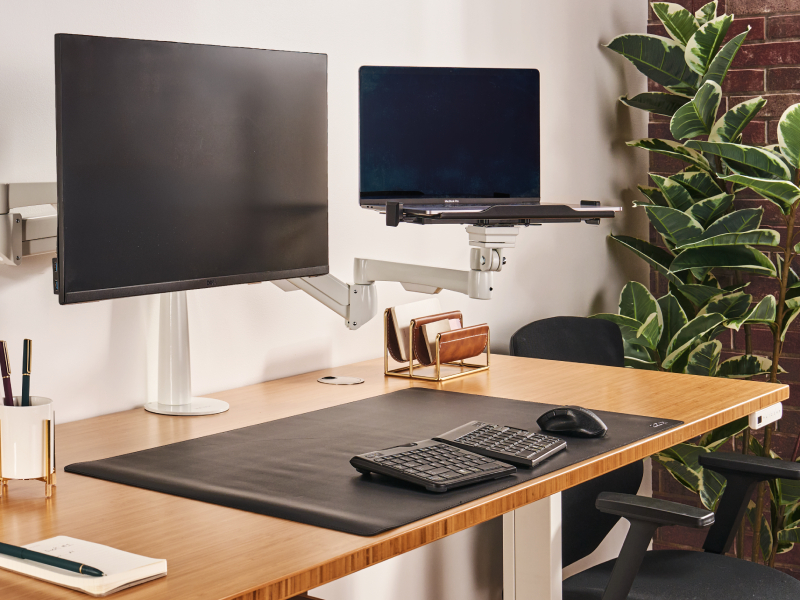
Upgrading to height-adjustable desks is a fantastic step for wellness, but placing laptops or monitors directly on a bare desktop still causes slouched posture, eye strain, and neck pain at any height.
The fix
Equip workstations with fully adjustable ergonomic accessories to ensure ideal spinal alignment whether employees are sitting or standing.
- Monitor arms help position your monitor at the perfect height, distance, and angle for optimal ergonomics.
- A Laptop Mount elevates a laptop to eye level, transforming it into an ergonomic, neck-friendly second display.
- The Desk Shelf or Monitor Stand raises your display to a more comfortable viewing height. It is a good alternative when a monitor is too heavy for an arm or when you simply prefer the look of a stand.
5. The desktop landslide: storage in plain sight
The issue
In an open office, everything is in plain sight. Without a designated home for each item, notebooks, personal belongings, and tech accessories pile up on the desktop, where they add visual clutter and risk sliding off when the desk rises.
The fix
Give every item a home with integrated storage that keeps the desktop clear and the space looking intentional. Keep frequently used items within reach and tuck infrequently used items out of sight.
- Slim or deep desk drawers mount directly beneath the desktop, securing personal belongings out of sight without sacrificing legroom.
- The MoPac Office Storage System organizes shared office clutter with modular cabinets and credenzas while serving as a beautiful visual backdrop or room divider.
- Mobile File Cabinets keep sensitive documents secure and double as a padded "touchdown" seat for quick, spontaneous collaboration.
6. Power deserts: the hunt for an outlet
The issue
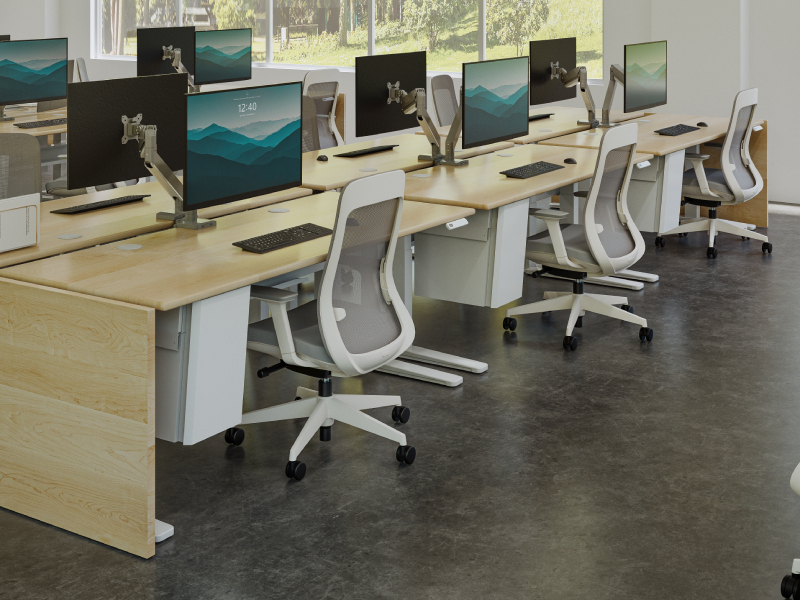
In large open layouts, wall outlets are few and far between. Forcing employees to crawl under desks or stretch dangerous extension cords across walkways to plug in their devices actively discourages collaboration and movement.
The fix
Bring infrastructure directly to the user with modular, scalable power options that maintain a clean design profile.
- The UPLIFT Power and Data Rail is our premier solution for open layouts. This flexible, telescoping rail system safely distributes clean power and data to entire rows of desks from a single source.
- The Mountable Surge Protector, available in 6- and 8-outlet options, consolidates all desk electronics into a single, heavy-duty 10-foot power cable, allowing the desk to rise freely while running just one clean cord to the wall or rail.
- Grommets sit flush in the desktop's wire openings, and powered versions add built-in outlets and USB ports right at the surface for charging without a cord run to the wall.
- The DuoMount Power Strip attaches directly to the edge of any desk, putting standard outlets and USB ports right at employees' fingertips.
The takeaway
Creating an open office that supports culture, team dynamics, and productivity takes intentional, employee-first planning. There is no single right way to build a great workspace, but a few thoughtful considerations can make the space more successful. Find what works for your team and build your best office today.
Designing an open office for your team?
From your office's layout to the desks and accessories that live in the room, we'll help you build a space where your team can do their best work.
Talk to our teamWork better. Live healthier.