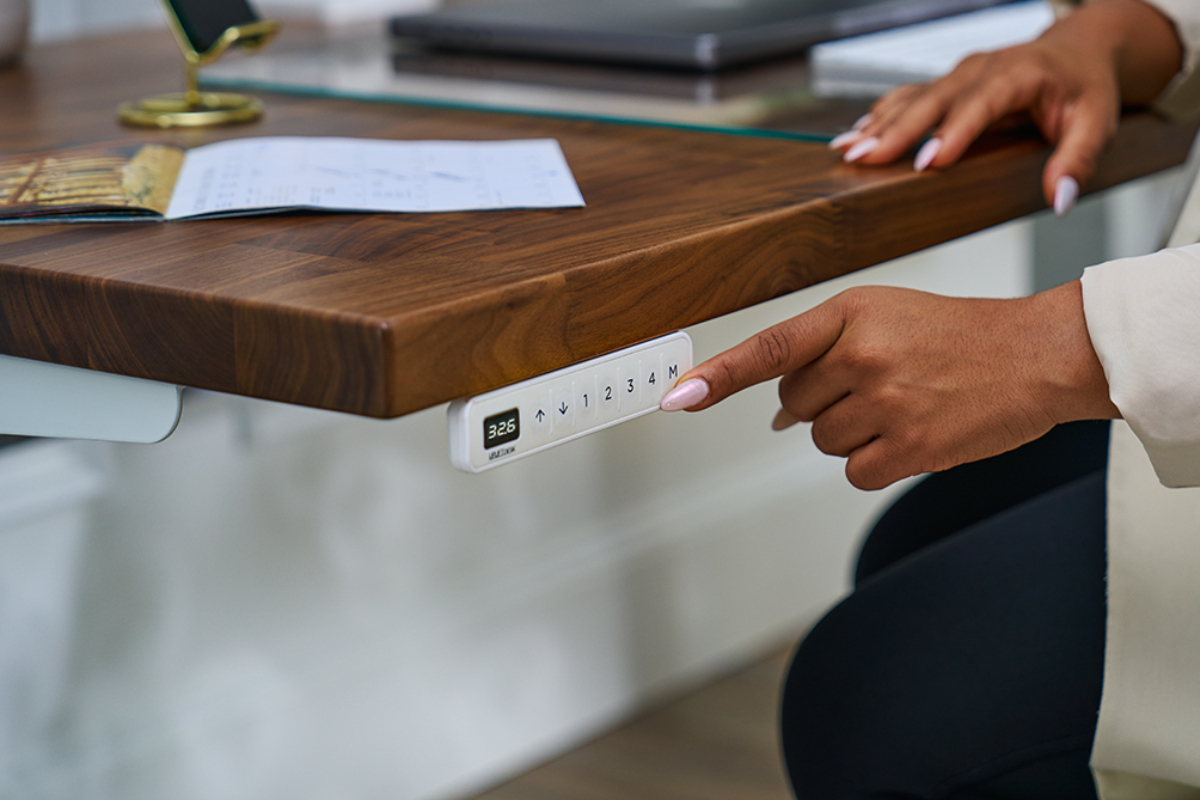
What Your Standing Desk Keypad Can Do
An UPLIFT Desk keypad does more than raise and lower your desk. Advanced keypads include settings that save your preferred heights, control how the desk responds to a button press, and protect your setup from accidental changes. Available features vary by keypad, so the comparison chart below shows which model fits your workspace.
Memory presets
Advanced keypads save two or four desk heights, depending on the model. Storing a sitting height and a standing height returns you to the same ergonomic position every time, so you never have to estimate by eye. On four-preset keypads, the remaining buttons work well for a perching height or for a second person who shares the desk. For help choosing the right heights to save, read how memory presets keep your standing desk ergonomically perfect.
Adjustment modes
Memory presets respond to a button press in one of several ways. In one-touch mode, a single tap sends the desk to the saved height. In constant-touch mode, the desk moves only while you hold the button and stops as soon as you let go. Many Advanced keypads also offer a double-tap mode that helps prevent accidental movement.
Advanced keypads ship in one-touch mode for convenience. Constant-touch and double-tap give you more control over when the desk moves, which suits shared offices and homes with kids or pets.
Keypad lock
Keypad lock disables the controls until you unlock them, so your desk height stays put while you're away. The setting is useful in shared offices, hot-desking spaces, and homes with young children. A power outage returns the keypad to its unlocked state.
Anti-collision
The control box senses when the desk meets an obstacle, such as a chair arm or the edge of a cabinet, and stops the desk. Most keypads let you adjust how sensitive the system is, so desks carrying heavy equipment can avoid unnecessary stops.
Custom height limits
Minimum and maximum height limits set stop points for your desk. A maximum limit keeps the desktop below a shelf or window ledge, and a minimum limit keeps it above a filing cabinet or the arms of your chair.
Display settings
The keypad display can show desk height in inches or centimeters. Height calibration adjusts the reading to match your measured desk height, which helps after adding casters or changing your desktop.
Which keypad is right for you?
Every keypad and control below works with UPLIFT Desk height-adjustable desks, though some require a specific control box version. Check the product page for compatibility before you order.
| Keypad or control | Memory presets | Standout feature | Best for |
|---|---|---|---|
| Advanced Comfort Angled Keypad | 4 | Angled face for an easy view of the display, with raised dividers you can feel between buttons | Most everyday setups |
| Advanced Comfort Flush Keypad | 4 | Mounts flush with the front edge of the desktop | A clean, low-profile look |
| Advanced Keypad with USB | 4 | USB-A and USB-C charging ports built into the keypad | Charging a phone at your desk |
| Advanced Paddle Keypad | 2 | Paddle control with sit-stand reminders and optional vibration alerts | Building a sit-stand routine |
| Advanced RGB Gaming Keypad | 2 | Customizable RGB backlighting and mechanical switches | Gaming setups |
| Basic Display Angled Keypad | None | Press-and-hold control with a digital height readout | Simple up-and-down adjustment |
| Wireless Foot Switch | Uses keypad limits | Battery-powered pedals for hands-free adjustment | Keeping your hands on your work; not compatible with the Advanced Keypad with USB |
| Bluetooth Adapter for UPLIFT Desk App | Saved in the app | Controls your desk from your phone and tracks sitting and standing time | Reminders and progress tracking |
The Bluetooth Adapter pairs your desk with the UPLIFT Desk App for movement reminders, a daily standing goal, and one-tap height changes from your phone. Learn how to set it up in our UPLIFT Desk App guide.
Set up your keypad
Step-by-step instructions for every keypad setting live in our desk assembly and programming guides. For help identifying your keypad or control box, contact UPLIFT Desk support or call 800-349-3839.
Work better. Live healthier.