The real reason your open office feels cramped (and what to do about it)
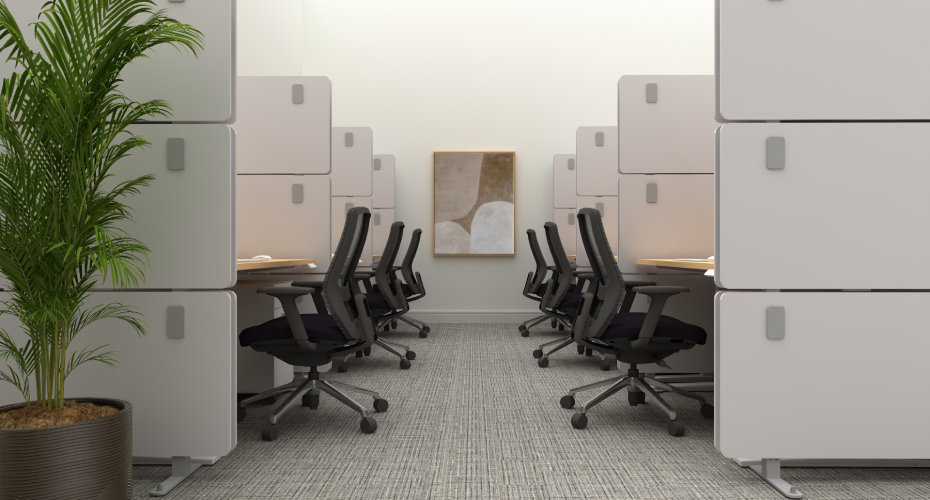
You already know something is off about your office. Maybe you can't name it exactly, but you feel it every day. The conversation you didn't want to hear. The chair that bumps into yours when the person behind you leans back. That low-level tension of working in a space where nothing is quite private and nothing is quite comfortable.
Most people who work in open offices can tell you their workspace feels too loud, too close, or too exposed. Almost none of them can tell you why in specific terms. That gap between “something’s off” and “here’s the actual problem” is where most offices get stuck.
Why your office feels too close for comfort
Most office layouts are designed around desk dimensions, not the people sitting at them. A floor plan accounts for how wide a desk is and how deep a chair sits. It rarely accounts for how people move and use their space. Measurable standards exist for the amount of room a person needs to work comfortably, but most layouts never reference them. The result is a room that looks right on a blueprint and feels wrong the moment it fills up.
The numbers that create space
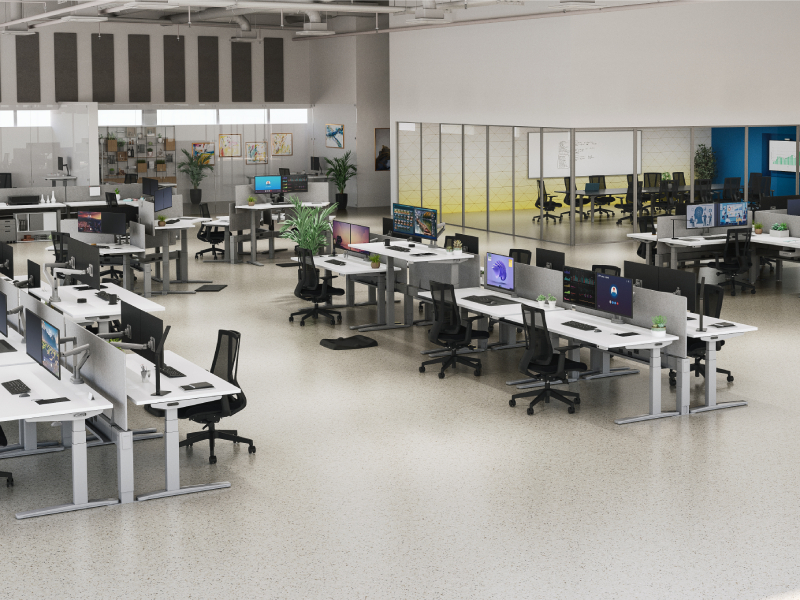
There is a science to finding comfort in the workplace. The amount of space a person needs to move, focus, and work without friction has been studied and standardized across multiple disciplines. ADA accessibility requirements, International Building Code egress standards, OSHA workplace safety guidelines, and BIFMA ergonomic recommendations all approach the question differently, but they converge on a consistent set of numbers.
The distance between back-to-back workstations, measured from the closest edge of one workspace to the desk behind it, should be at least 60 inches — with 72 inches being ideal. That clearance accounts for chair depth, recline, and enough room to move without disrupting the person behind you. For private workspaces where traffic is minimal, 36 inches of clearance behind a seated worker is the accepted minimum. That difference may feel minor on paper. But, in practice, 36 inches means squeezing past someone’s chair in a sideways manner. Sixty inches means walking behind them without either of you noticing.
Main corridors, the paths people use to get to meeting rooms, exits, and common areas, should be 60 inches or wider. That’s the width where two people can pass each other without doing that awkward half-turn. Secondary aisles, the paths between desk rows, work with 36 to 48 inches, as long as it doesn’t double as a primary walkway.
Code-compliant and comfortable are not the same thing.
A layout can pass every fire code inspection and still feel oppressive to the people who sit in it eight hours a day. Building codes set the floor. Comfort sets the standard you should actually aim for.
The open-plan office paradox
The most common layout mistakes happen when the floor plan assumes people sit still. That every worker stays upright in a fixed chair at a fixed desk and never moves, reclines, or needs a moment away from the noise around them.
|
Seated depth vs. recline An office chair pushed against a desk occupies about 18 to 20 inches of depth. That same chair with someone leaning back takes up 30 inches or more. If the floor plan only accounts for the 18 to 20 inches of depth, then every chair shift takes up clearance in the designated walking space. |
Standing desk sightlines When a person goes from sitting to standing, their eye level rises 12 to 16 inches. In a dense open office, that person now has a direct line of sight over partition tops and into surrounding workstations. Privacy that feels adequate at seated height can disappear entirely. |
|
Headcount vs. flow It’s tempting to squeeze one more workstation into a row to hit a capacity number. But the cost of that extra desk is felt in tighter aisles, less room behind chairs, and a general sense that the office was designed for a spreadsheet, not for the people in it. |
Spacing without sound A floor plan measures space in inches. It doesn’t measure how far a voice carries across an open room with hard floors and no barriers. Spacing solves mobility, clearance, and personal bubbles. It doesn’t solve acoustics. |
Space without sound treatment
Good spacing is just the foundation for a productive work environment. Some of the most common open-office frustrations don’t go away just because the floor plan has the right measurements. Noise, visual exposure, and the feeling of working in public all day requires more than distance.
This is where creating space division becomes part of the equation. Not as a replacement for good spacing, but as the layer on top of it that addresses what distance alone can’t fix.
Desk-mounted acoustic panels absorb ambient sound and create a visual boundary between adjacent workstations without closing anyone off from their team. Freestanding acoustic privacy panels do the same thing between rows or clusters, and they’re light enough to reposition when layouts change. For teams that need more defined separation, mobile acoustic partitions create room-like boundaries without construction, permits, or permanence.
None of these replace the fundamentals. They’re what you reach for after the layout is right and you realize the problem has layers. Open floor plans ask people to work in public for the entire day. A well-planned office gives people room to focus and room to collaborate. Those shouldn’t be competing priorities.
“We view a high-quality mattress as a fundamental investment in our well-being. It’s time we apply the same standard to the workstation. A full-time professional spends nearly as many hours at their desk as they do in bed. Asking a high-performing team to operate within cramped physical constraints is an oversight. Physical discomfort translates to professional friction.”
— Jacquelyn Lauderdale, Workspace Design Manager
A better plan for the space you have
If reading this made you look at your office a little differently, you’re not alone. Most companies don’t realize their layout is the source of friction until someone maps it out and shows them where the gaps are.
That’s what our space planning team does, and we do it for free. We’ve designed thousands of office layouts. Send us a floor plan, tell us what’s not working, and we’ll show you what’s possible. No commitment, no sales pitch. Just a better plan for the space you already have.
Get your free space plan
Our workspace design team has planned thousands of office layouts — and we’ll plan yours for free. Start your free space plan
Sources
U.S. Access Board — ADA Accessibility Standards, Chapter 4: Accessible Routes. https://www.access-board.gov/ada/guides/chapter-4-accessible-routes/
OSHA — 29 CFR 1910.36: Design and Construction Requirements for Exit Routes. https://www.osha.gov/laws-regs/regulations/standardnumber/1910/1910.36
OSHA — eTools: Computer Workstations, Components, Desks. https://www.osha.gov/etools/computer-workstations/components/desks
BIFMA — G1-2013: Ergonomics Guideline for Furniture Used in Office Work Spaces. https://www.bifma.org/page/StandardsShortDesc
Dimensions.com — Open Office Clearances. https://www.dimensions.com/element/open-office-clearances
Work better. Live healthier.